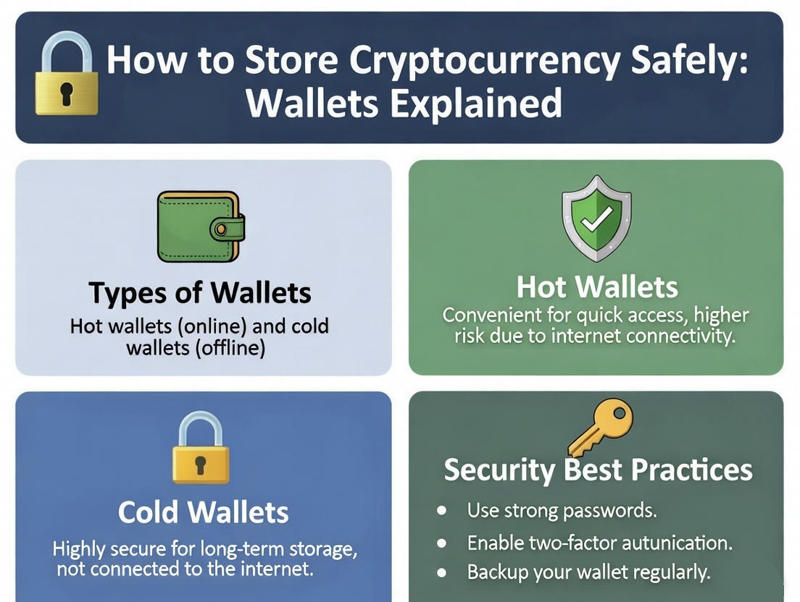
You’ve learned what cryptocurrency is, how it works, and maybe you’ve even made your first purchase. But now comes one of the most important questions: How do you keep your cryptocurrency safe?
Unlike traditional money in a bank account, cryptocurrency requires you to take responsibility for your own security. Make a mistake, and your funds could be lost forever with no way to recover them. But don’t worry—with the right knowledge and tools, storing cryptocurrency safely is completely manageable.
This comprehensive guide will teach you everything you need to know about cryptocurrency wallets, security best practices, and how to protect your investment from hackers, scams, and human error.
Table of Contents
Understanding Cryptocurrency Wallets: The Basics
First, let’s clear up a common misconception: Your cryptocurrency wallet doesn’t actually store your crypto. Your coins exist on the blockchain, which is a public record that everyone can see.
What your wallet actually stores are:
- Your private key – The password that proves you own the cryptocurrency
- Your public key/address – Like an email address where people can send you crypto
Think of it this way:
- The blockchain = A giant safe deposit box building
- Your public address = Your box number (everyone can see it)
- Your private key = The unique key that opens only your box
- Your wallet = The keychain that holds your key
Whoever has your private key controls your cryptocurrency. That’s why protecting it is absolutely critical.
Types of Cryptocurrency Wallets Explained
There are several types of wallets, each with different security levels and convenience:
1. Exchange Wallets (Custodial Wallets)
What it is: When you buy cryptocurrency on an exchange like Coinbase or Kraken, it’s automatically stored in the exchange’s wallet.
How it works: The exchange holds your private keys for you. You access your crypto through your account login.
Pros:
- ✅ Extremely convenient
- ✅ Easy to buy, sell, and trade
- ✅ No technical knowledge required
- ✅ Exchange handles security
- ✅ Can recover account if you forget password
Cons:
- ❌ You don’t control your private keys (“Not your keys, not your crypto”)
- ❌ Exchanges can be hacked
- ❌ Account could be frozen or restricted
- ❌ Exchange could go bankrupt (rare but possible)
Best for:
- Beginners with small amounts (under $500)
- Active traders who buy/sell frequently
- People who prioritize convenience
Security Tips:
- Use a unique, strong password
- Enable two-factor authentication (2FA)
- Use withdrawal whitelisting if available
- Never share your login credentials
2. Software Wallets (Hot Wallets)
What it is: Apps or programs you download that store your private keys on your phone or computer.
How it works: You control your private keys, but they’re stored on an internet-connected device.
Popular Software Wallets:
- Trust Wallet – Mobile wallet supporting many cryptocurrencies
- Exodus – Beautiful desktop and mobile wallet with built-in exchange
- MetaMask – Browser extension wallet, essential for Ethereum and DeFi
- Electrum – Bitcoin-only wallet, lightweight and secure
Pros:
- ✅ You control your private keys
- ✅ Easy to use
- ✅ Can access anywhere with your phone/computer
- ✅ Usually free
- ✅ Built-in features like swapping between cryptocurrencies
Cons:
- ❌ Vulnerable to malware and viruses
- ❌ Could lose funds if device is lost/stolen without backup
- ❌ Requires careful backup management
- ❌ No customer support if something goes wrong
Best for:
- Users holding $500-$5,000
- People who need regular access to their crypto
- Users comfortable with basic tech
- Those interacting with DeFi applications
Security Tips:
- Write down your recovery phrase and store it securely offline
- Never take digital photos of your recovery phrase
- Use a PIN or password on your device
- Only download wallets from official sources
- Keep your device and software updated
3. Hardware Wallets (Cold Wallets)
What it is: Physical devices (like USB drives) that store your private keys offline.
How it works: Your private keys never leave the device. To make transactions, you connect it to your computer, authorize the transaction on the device, then disconnect it.
Popular Hardware Wallets:
- Ledger Nano X – Supports 5,500+ cryptocurrencies, Bluetooth connectivity
- Ledger Nano S Plus – More affordable option, no Bluetooth
- Trezor Model T – Touch screen, open-source software
- Trezor One – Budget-friendly option, still very secure
Pros:
- ✅ Maximum security—private keys never online
- ✅ Protected from malware and viruses
- ✅ Can safely use even on infected computers
- ✅ Recovery seed phrase for backup
- ✅ Multi-cryptocurrency support
Cons:
- ❌ Costs money ($50-150)
- ❌ Less convenient for frequent trading
- ❌ Can be lost or damaged (but recoverable with seed phrase)
- ❌ Slight learning curve
Best for:
- Anyone holding $5,000+ in cryptocurrency
- Long-term investors (“HODLers”)
- Security-conscious users
- People who don’t need frequent access
Security Tips:
- Buy directly from the manufacturer (never eBay or Amazon)
- Store recovery phrase separately from the device
- Never enter your recovery phrase on any computer or website
- Keep the device firmware updated
- Store device in a safe place
4. Paper Wallets (Offline Storage)
What it is: Your private and public keys printed on paper or written down.
How it works: Generate keys offline, print them, and store the paper safely. To use the funds, you import the private key into a software wallet.
Pros:
- ✅ Completely offline
- ✅ Immune to hacking
- ✅ Free
- ✅ Can be stored in safe deposit boxes
Cons:
- ❌ Easily destroyed (fire, water, wear)
- ❌ Can be lost or stolen
- ❌ Complex to set up securely
- ❌ Not beginner-friendly
- ❌ One-time use (must sweep entire balance)
Best for:
- Long-term storage (5+ years)
- Advanced users only
- Backup of hardware wallet seeds
Not recommended for beginners. Hardware wallets are safer and more practical.
Comparison: Which Wallet Type Should You Use?
| Amount | Recommended Storage | Why |
|---|---|---|
| Under $500 | Exchange wallet | Convenience outweighs risks for small amounts |
| $500 – $5,000 | Software wallet | Balance of security and accessibility |
| Over $5,000 | Hardware wallet | Maximum security for significant investments |
| Long-term holding | Hardware wallet | Offline storage for multi-year investments |
| Active trading | Exchange wallet | Need frequent access for buying/selling |
| DeFi & dApps | Software wallet (MetaMask) | Required for interacting with decentralized apps |
Pro Tip: Many experienced users use multiple wallet types:
- Exchange wallet for active trading
- Software wallet for daily use and DeFi
- Hardware wallet for long-term holdings
The Recovery Phrase: Your Most Important Backup
When you create a software or hardware wallet, you’ll receive a recovery phrase (also called a seed phrase or mnemonic phrase). This is typically 12-24 random words like:
“apple battle correct dentist elephant forest guitar house igloo jacket kangaroo lamp”
This phrase is EVERYTHING. With it, anyone can recover full access to your cryptocurrency. Without it, your funds are lost forever if something happens to your wallet.
Critical Rules for Recovery Phrases:
DO:
- ✅ Write it down on paper (or metal backup)
- ✅ Store it in multiple secure locations
- ✅ Keep it separate from your wallet device
- ✅ Consider a safe deposit box for large amounts
- ✅ Tell a trusted person where to find it in case of emergency
DON’T:
- ❌ Take photos of it (digital copies can be hacked)
- ❌ Store it on your computer or phone
- ❌ Email it to yourself
- ❌ Store it in cloud storage (Google Drive, Dropbox, etc.)
- ❌ Share it with anyone, ever
- ❌ Enter it on any website or app (except when recovering your actual wallet)
Warning: If someone asks for your recovery phrase, it’s a scam. No legitimate company will ever ask for it.
Security Best Practices: Protecting Your Crypto
1. Use Strong Passwords
- Minimum 12 characters
- Mix of letters, numbers, and symbols
- Unique for each exchange/wallet
- Use a password manager (1Password, Bitwarden, LastPass)
2. Enable Two-Factor Authentication (2FA)
- Use an authenticator app (Google Authenticator, Authy)
- Avoid SMS 2FA when possible (can be intercepted)
- Save backup codes in a secure location
3. Be Wary of Phishing Scams
- Always type URLs directly—don’t click links in emails
- Check for HTTPS and correct spelling
- Bookmark legitimate sites
- Never download wallet software from unofficial sources
4. Keep Software Updated
- Update wallet apps regularly
- Keep your computer/phone operating system updated
- Run antivirus software on computers
5. Use a Dedicated Device (Advanced)
For large amounts, consider:
- A dedicated computer only for cryptocurrency (never used for other activities)
- A separate email address only for crypto accounts
- A dedicated phone only for wallet apps
6. Verify Addresses Carefully
- Always double-check receiving addresses before sending
- Consider sending a small test amount first for large transfers
- Watch out for clipboard malware that changes copied addresses
7. Practice Good Physical Security
- Don’t brag about cryptocurrency holdings
- Be careful discussing crypto in public
- Keep hardware wallets hidden
- Store recovery phrases separately from devices
Common Mistakes That Lead to Lost Cryptocurrency
1. Not Backing Up Recovery Phrases
The Problem: Device breaks or gets lost, recovery phrase not saved.
The Result: Cryptocurrency is gone forever.
The Solution: Write down recovery phrase immediately and store safely.
2. Storing Recovery Phrases Digitally
The Problem: Photo or document of recovery phrase gets hacked.
The Result: Hackers drain the wallet.
The Solution: Only store recovery phrases on paper or metal.
3. Using Weak Passwords
The Problem: Simple password like “password123” or reused passwords.
The Result: Account gets hacked.
The Solution: Use strong, unique passwords and a password manager.
4. Falling for Phishing Scams
The Problem: Clicking fake links and entering login credentials on scam sites.
The Result: Account compromised and funds stolen.
The Solution: Always type URLs manually, never click email links.
5. Not Using 2FA
The Problem: Only password protects account.
The Result: Easy target for hackers.
The Solution: Enable 2FA immediately on all accounts.
6. Sending to Wrong Address
The Problem: One wrong character in an address.
The Result: Funds sent to the wrong person, irreversible.
The Solution: Triple-check addresses, send test amounts first.
7. Falling for “Doubling” Scams
The Problem: Scam promises to double your crypto if you send them some first.
The Result: You send crypto, scammer disappears.
The Solution: If it sounds too good to be true, it is. Learn about common crypto scams.
Step-by-Step: Setting Up Your First Software Wallet
Let’s walk through setting up Trust Wallet as an example:
Step 1: Download the Official App
- iOS: Apple App Store
- Android: Google Play Store
- Never download from third-party sources
Step 2: Create a New Wallet
- Open the app
- Tap “Create a New Wallet”
- Read and accept terms
Step 3: Write Down Your Recovery Phrase
- The app will show you 12 words
- Write them down on paper in the exact order
- DO NOT TAKE A SCREENSHOT
- Store this paper safely
Step 4: Verify Your Recovery Phrase
- The app will ask you to confirm by selecting words in order
- This ensures you wrote it down correctly
Step 5: Set Up Security
- Create a strong password/PIN
- Enable biometric authentication (fingerprint/Face ID)
- Enable app lock
Step 6: Record Your Public Address
- Find your receive address
- You can share this with others to receive crypto
Your wallet is now set up and secure!
When to Upgrade from Exchange to Personal Wallet
Consider moving crypto off an exchange when:
- ✅ You’re holding for the long term (not actively trading)
- ✅ Your holdings exceed $500-1,000
- ✅ You want complete control of your private keys
- ✅ You’re comfortable with the extra responsibility
- ✅ You’ve educated yourself on security practices
You might keep crypto on an exchange if:
- ❌ You trade frequently
- ❌ You’re holding very small amounts
- ❌ You’re not comfortable managing security yourself (yet)
- ❌ You rely on exchange features like staking or lending
Hardware Wallet Buying Guide
If you’re ready for maximum security, here’s how to choose a hardware wallet:
Ledger vs. Trezor
Ledger Nano X ($149)
- Supports 5,500+ cryptocurrencies
- Bluetooth connectivity
- Larger screen
- Closed-source firmware (some see as less transparent)
Trezor Model T ($219)
- Touch screen interface
- Open-source software (more transparent)
- Supports 1,800+ cryptocurrencies
- No Bluetooth (more secure but less convenient)
Both are excellent choices. Pick based on your budget and needs.
Where to Buy
- ✅ Directly from manufacturer (Ledger.com, Trezor.io)
- ❌ Never buy from eBay, Amazon, or third parties (risk of tampering)
What to Check When It Arrives
- Sealed box with official tamper-evident seals
- Device appears new and unmodified
- Never use a device that came with a “pre-generated” recovery phrase
Insurance and Protection Options
Exchange Insurance
Some exchanges insure funds:
- Coinbase: USD balances insured up to $250,000 (FDIC)
- Gemini: All digital assets insured
- Most others: Limited or no insurance
Note: Insurance typically covers exchange hacks, not user error or stolen login credentials.
Personal Insurance
Some companies now offer cryptocurrency insurance:
- Covers theft, hacking, and certain types of loss
- Usually requires specific security measures
- Can be expensive for large holdings
For most beginners, proper security practices are more important than insurance.
Frequently Asked Questions
Q: What happens if I lose my hardware wallet?
A: Your funds are safe! Use your recovery phrase to restore access on a new device. This is why backing up your recovery phrase is critical.
Q: Can I have multiple wallets?
A: Yes! Many people use several wallets for different purposes (trading, long-term holding, DeFi, etc.).
Q: What if I forget my wallet password?
A: For most wallets, you can restore access using your recovery phrase. This is why the recovery phrase is so important—it’s your backup for everything.
Q: Should I store different cryptocurrencies in different wallets?
A: Not necessary. Most wallets support multiple cryptocurrencies. Use one wallet per purpose (e.g., one for trading, one for long-term holding).
Q: Is it safe to keep all my crypto in one wallet?
A: For convenience, yes. For maximum security, consider splitting between multiple wallets (some in hardware wallet, some in software wallet).
Q: How do I know if my wallet has been hacked?
A: Check your wallet regularly. If you see transactions you didn’t make, your wallet is compromised. Act immediately—move remaining funds to a new wallet with a new recovery phrase.
Next Steps: Continuing Your Crypto Education
Now that you understand cryptocurrency storage:
- Choose Your Wallet – Based on your holdings and needs
- Set Up Security – Recovery phrase, 2FA, strong passwords
- Start Small – Practice with small amounts first
- Learn About Scams – Protect yourself by reading about common cryptocurrency scams
- Stay Updated – Security best practices evolve—keep learning
Final Thoughts
Storing cryptocurrency safely is all about taking responsibility for your own security. While this might seem daunting at first, remember:
- Start simple – Exchange wallets are fine for beginners with small amounts
- Upgrade gradually – Move to software or hardware wallets as your holdings grow
- Never rush – Take time to understand security before making changes
- Back up everything – Your recovery phrase is your lifeline
- Stay informed – Security practices evolve, so keep learning
The cryptocurrency community has a saying: “Not your keys, not your crypto.” While this emphasizes the importance of self-custody, remember that with great power comes great responsibility. Take security seriously, follow best practices, and your cryptocurrency will be safe.
Ready to learn how to protect yourself from scams? Read our guide to common cryptocurrency scams.
External Resources:
- Hardware Wallet Comparison – Official comparison tool
- Wallet Security Checklist – Bitcoin.org security guide
- Crypto Security Best Practices – CoinDesk educational resource
Disclaimer: This article is for educational purposes only. You are responsible for the security of your own cryptocurrency. Always do your own research and consider consulting with security professionals for large holdings.
Disclaimer: This article is for educational purposes only and is not financial advice. Cryptocurrency is highly volatile and risky. Only invest money you can afford to lose. Past performance is no guarantee of future results. Always do your own research and consider consulting a qualified financial advisor.
